
Live Chat Video Call-Whatslive
Live Chat.Video ChatSocial
4.62.28K Reviews
- Version
- 2.4.63
- Installs
- 10.00M
- Age Rating
- Mature 17+
Screenshots
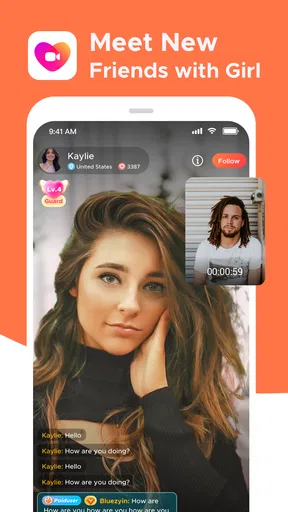

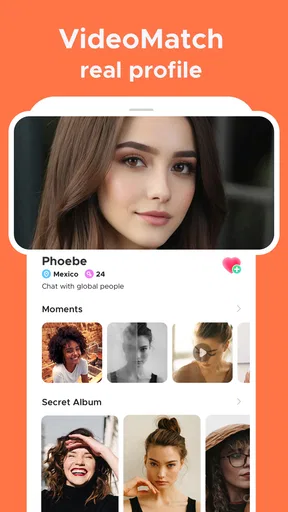
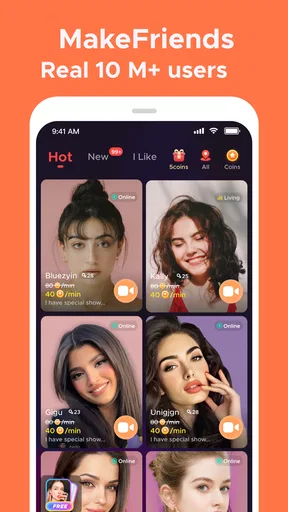
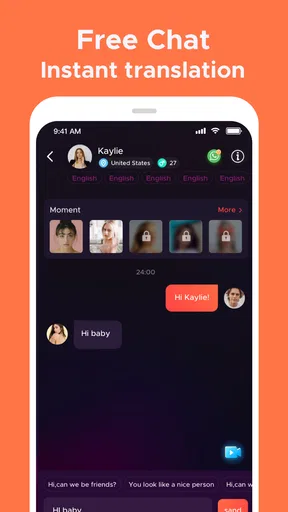
Our Review of Live Chat Video Call-Whatslive
 Analysis by Appyee
I approached Live Chat Video Call-Whatslive as a social app for spontaneous face-to-face conversations rather than as a replacement for a normal messaging service. Its purpose is simple: open a live video conversation with unfamiliar people and decide quickly whether the interaction is worth continuing. That makes the app appealing when I want something more immediate than scrolling through posts, but it also means the experience depends heavily on the quality and behavior of the people I meet.
The app is free to install, belongs to the social category, and is developed by Live Chat.Video Chat. It carries a Mature 17+ rating, which is an important part of the decision rather than a minor label. I would not recommend treating it like a general family chat tool or handing it to a younger teenager. The live, stranger-focused format requires more attention than a conventional social network because conversations happen in real time and can change direction without much warning.
How I would decide whether Whatslive fits
My first question would be what kind of social experience you actually want. If you want to keep up with people you already know, a private messenger is the better category. If you want carefully selected communities around a hobby, a group-based platform will usually feel more predictable. Whatslive makes more sense when the attraction is the surprise of meeting someone new through a live video call, without preparing a profile, arranging a time, or waiting for a reply.
The second question is how comfortable you are with uncertainty. A stranger video app cannot promise that every conversation will be interesting, polite, or worth your time. I found the format most enjoyable when I treated each call as a short experiment instead of expecting an instant friendship. That mindset matters: the app is built around quick social discovery, not guaranteed compatibility.
I would also consider whether you are comfortable appearing on camera. Text-first services give you time to edit a message and decide how much of yourself to reveal. Live video removes that buffer. Even if you end a call quickly, the other person has already seen and heard you. Anyone who values a slower introduction should begin with text-based communities or voice-only spaces instead.
There is also a practical age and privacy decision. Because the app is rated for mature users, I would keep personal details out of early conversations: full name, home address, workplace, school, daily routine, and information that could identify where you live. I would use a neutral background, avoid showing documents or screens, and end a call at the first sign of pressure. Those habits are not optional extras here; they are part of using the app sensibly.
The first session: what I would do differently from a casual download
Before starting, I would decide on a time limit and a simple exit phrase. That sounds overly cautious until a conversation becomes awkward and you realize you are staying only because you do not know how to leave. A short, polite goodbye is enough. The ability to end an interaction immediately is more valuable than trying to rescue a call that already feels uncomfortable.
I would also test the experience in a private place with a reliable connection, but not somewhere that exposes personal surroundings. A plain wall or deliberately limited camera view reduces the amount of information a stranger can gather. This is one of the small choices that makes a noticeable difference with live video: the camera frame itself can reveal far more than the conversation.
During a first session, I would avoid judging the whole app from one unusual encounter. Random social discovery naturally produces uneven results. Instead, I would look for a pattern across several brief calls: Are conversations easy to leave? Do I feel in control of what I share? Does the app help me reach people who match the kind of interaction I want? Those are more useful questions than whether the first person happened to be entertaining.
What makes the live format worthwhile
The strongest part of Whatslive is immediacy. A normal social feed asks me to read, react, and wait. A live call gives me a real sense of another person within moments. Tone, pauses, facial expressions, and spontaneous questions can create a connection that text rarely produces. For someone who finds endless messaging tiring, that directness can be refreshing.
I can imagine using it after moving to a new city, when I want casual human contact but do not yet have a local circle. I might open the app for a few minutes after work, have a brief conversation, and leave without the commitment of joining a recurring group. It could also suit a person who enjoys practicing informal conversation with people from different backgrounds, provided they are prepared for unpredictable interactions and avoid sharing sensitive information.
Another useful angle is the low commitment. There is no need to compose a clever opening message or maintain a long chat history before finding out whether two people communicate well. A live call answers that question quickly. The trade-off is that the same speed that removes friction also removes some of the filtering and preparation found in slower social apps.
Where the app can feel less comfortable
The central weakness is not a missing decorative feature; it is the nature of stranger video chat itself. A live interaction can become uncomfortable faster than a text exchange, and the user has less time to think. Even when the app works as intended, the social quality will vary from call to call. If you prefer predictable conversations, carefully moderated communities, or contacts you already trust, this may feel too random.
I would also be careful about the emotional expectation. The app can create a pleasant moment, but a brief video call is not automatically a meaningful relationship. Some people will want quick entertainment, some will be looking for friendship, and others may approach the conversation with motives that do not match yours. I would avoid moving immediately to another platform or sharing a phone number simply because one call felt friendly.
Live video also creates a stronger demand on attention than a background social feed. I cannot casually browse while carrying on a good conversation. That is a benefit when I want real interaction, but a disadvantage when I only have a few seconds to spare. If I am commuting, multitasking, or in a public place, I would choose a text or audio option instead.
How the audience and reputation affect the choice
The app has an average rating of 4.6 from roughly 167 thousand ratings, along with about 2.3 thousand written reviews. It has also passed the ten-million-install mark, so this is not an obscure experiment with no established audience. Those figures suggest that many people find the basic idea appealing, but they do not guarantee that every session will match my preferences. A large user base increases the chance of finding an interesting conversation while also making the experience less uniform.
The current version is 2.4.63 and it supports devices running Android 6.0 or later. For someone using an older phone, compatibility is worth checking before building a routine around the app. On a supported device, I would still judge it by practical comfort: whether video remains usable in my usual locations, whether I can leave calls without hesitation, and whether the social atmosphere suits me.
Where alternatives may be a better match
I would choose a conventional messenger when the main goal is dependable contact with friends, relatives, or colleagues. That category gives me control over who can reach me and lets me respond on my own schedule. Whatslive is the opposite kind of experience: discovery first, familiarity later, if a connection develops at all.
I would choose a community platform when I want conversation organized around a shared interest. A photography group, language-learning space, gaming community, or local discussion forum gives people an immediate subject to talk about. Whatslive can produce a more personal first impression, but it may require more effort to find common ground because the meeting begins without a shared topic.
I would choose a dating-focused service when romantic compatibility is the actual purpose. A stranger video app may lead to a pleasant conversation, but it is not wise to assume that every person is there for dating or that a live call provides enough context for a serious decision. Likewise, I would choose a professional networking service for career contacts, where identity and purpose matter more than spontaneity.
Audio-first services can also be better for users who want conversation without appearing on camera. They reduce visual exposure and may be easier to use while walking or doing simple tasks. The compromise is that audio does not provide the same immediate sense of presence. In my view, the right alternative depends on whether your priority is control, shared interests, privacy, or the energy of an unplanned video meeting.
Costs, in-app purchases, and the cost of changing habits
Whatslive is free to use in its basic form, but in-app purchases range from $0.49 to $499.99 per item. That is a wide span, so I would not tap through purchase screens casually or assume that a small first payment tells me what extended use could cost. I would review each purchase prompt carefully, keep a personal spending limit, and use device-level purchase protection.
The real cost is not only financial. Live social apps can encourage me to keep searching for a better conversation after an average one, especially when the next call is only a tap away. I would set a session boundary before opening the app and stop when I am no longer enjoying the interaction. This prevents the search itself from becoming the habit.
Switching away is easy if I use Whatslive only for occasional curiosity. It is more difficult if I begin relying on it for regular social contact. Before replacing a private messenger or an interest-based community, I would ask whether the app gives me something those services cannot: immediate contact with unfamiliar people. If the answer is no, changing platforms may add randomness without solving a real problem.
For anyone trying the paid side, I would begin with the smallest sensible commitment and evaluate the experience before spending more. I would never pay to keep a conversation going simply because I had already invested time in it. That is a classic sunk-cost trap, and the live format makes it particularly easy to fall into when a call starts promisingly but stops being enjoyable.
Three practical habits that improve the experience
First, I would use a “short call” mindset. Instead of opening with the expectation of a long conversation, I would ask one easy, neutral question and see whether the exchange feels balanced. If the other person avoids answering, pushes for private details, or dominates immediately, I would leave. This approach saves time and makes the app’s randomness manageable.
Second, I would separate friendliness from trust. A warm conversation can still be followed by an unreasonable request. I would keep the first interaction inside the app and avoid sending money, codes, personal documents, or private contact information. The best conversations do not require me to prove interest by giving away control.
Third, I would protect the camera frame as carefully as the words I say. I would remove mail, badges, family photographs, screens, and anything else that reveals identity or location. This is an easy precaution to overlook because people focus on the person on screen, but the background can provide a surprisingly detailed picture of everyday life.
A fourth habit is to judge the app by the quality of exits, not only by the quality of introductions. Any service can produce one good meeting. What tells me whether I can use it comfortably is whether I can decline, disconnect, and return later without feeling pressured. If leaving is consistently awkward, the app is not a good match, regardless of how entertaining individual calls can be.
Who should try it and who should skip it
I would recommend trying Whatslive to an adult who enjoys meeting unfamiliar people, prefers face-to-face interaction over long text exchanges, and can maintain firm boundaries. It is especially suitable for short, casual social sessions where the goal is conversation rather than a guaranteed friendship, date, or professional outcome.
I would skip it if I am looking for reliable contact with known people, a tightly organized interest group, or a carefully screened dating experience. I would also avoid it if unexpected video interactions make me anxious, if I cannot use the camera privately, or if I tend to overspend when an app offers optional purchases. Those are not minor inconveniences; they directly conflict with the way this service works.
Parents should treat the Mature 17+ rating seriously and not present the app as harmless entertainment for children. Adults who decide to use it should explain the same boundaries to less experienced users: do not share identifying details, do not move to private channels in a hurry, and leave immediately when a conversation becomes sexual, threatening, manipulative, or simply uncomfortable.
My recommendation after weighing the trade-offs
My recommendation is cautious but positive for the right person. Whatslive offers a clear kind of social experience: fast, face-to-face contact with strangers, with none of the waiting and profile maintenance associated with slower platforms. Its established audience and strong average rating make it reasonable to test, but they do not remove the need for judgment during each call.
I would install it when I wanted spontaneous conversation and had enough privacy, time, and emotional distance to treat the result as unpredictable. I would not make it my only social outlet, and I would not use it as a substitute for trusted relationships or a purpose-built community. The best way to approach it is as a controlled experiment: keep sessions short, protect the camera view, spend carefully, and leave whenever the interaction stops feeling right.
In the end, the decision is less about whether live video chat is universally good or bad and more about whether its uncertainty matches your personality. If that uncertainty is the appeal, this app can provide an immediate way to meet people beyond your existing circle. If what you really want is control and continuity, a private messenger, interest-based community, or audio-first service will probably serve you better. For adults who want spontaneous connection and are willing to set firm boundaries, Whatslive is worth trying for free before deciding whether it deserves a regular place on the phone.
Verdict
Strengths of Live Chat Video Call-Whatslive
- Quickly connects you with people for spontaneous video conversations.
- Simple interface makes starting a live chat easy for new users.
- Supports real-time interaction instead of relying only on text messages.
- Useful for meeting people from different locations and backgrounds.
- Profile-based discovery can help you find chats matching your interests.
Limitations of Live Chat Video Call-Whatslive
- Some users may encounter inappropriate behavior during random video chats.
- The quality of calls depends heavily on your internet connection.
- Frequent notifications can become distracting if not adjusted in settings.
- Limited control over who appears in random matching may reduce comfort.
- Video calling can consume significant mobile data and battery power.
Similar Picks in This Category
View All
Meta Platforms, Inc.4.6

Instagram4.0

Likee-Live, Chat & Party Games
Likeme Pte. Ltd.4.4

Facebook Lite
Meta Platforms, Inc.4.5

TikTok - Videos, Shop & LIVE
TikTok Pte. Ltd.4.0

Moj: Free Short Drama & Reels
ShareChat4.1
Frequently Asked Questions
What is Live Chat Video Call-Whatslive, and what can I use it for?
Live Chat Video Call-Whatslive is designed for meeting and communicating with people through live video chats and messaging features. After opening the app, users can generally browse available profiles, start conversations, and make video calls, depending on the features and permissions enabled on their account. It is mainly intended for casual social interaction and discovering new contacts rather than replacing professional communication tools.
Is Live Chat Video Call-Whatslive free to download and use?
The application may be available to download at no initial cost, but some functions can depend on in-app purchases, credits, subscriptions, or other paid options. Video calls, premium profiles, extended chat features, or additional visibility may not all be included in the free experience. Before using any paid feature, check the current pricing, renewal terms, and payment details shown in the Google Play Store or Apple App Store.
Does Live Chat Video Call-Whatslive require registration, a phone number, or personal information?
Most social video-chat applications require users to create an account or sign in before accessing their main communication features. Depending on the current version, registration may involve an email address, phone number, profile photo, age information, or a connected social account. Review the requested permissions carefully and avoid sharing sensitive details with other users until you are confident that the conversation is trustworthy.
Is Live Chat Video Call-Whatslive safe for private video conversations?
Users should treat every live video conversation as potentially public or recordable, even when the app presents it as private. Do not display identification documents, financial information, passwords, your exact address, or other confidential material during a call. Use blocking and reporting tools when available, keep conversations respectful, and review the app’s privacy policy to understand how account information, messages, and video-related data may be handled.
What should I check before downloading Live Chat Video Call-Whatslive?
Before installing the app, check that your Android or iPhone meets the listed operating-system requirements and that you have a stable internet connection, since video calling can use considerable mobile data. Also review recent store ratings, developer information, requested permissions, age restrictions, and the latest privacy policy. If you are concerned about unexpected charges, confirm whether subscriptions or virtual credits are offered before creating an account.
